Streaming TV has completely redefined modern home entertainment. Instead of paying exorbitant monthly fees for traditional cable or satellite packages, millions of households are transitioning to IPTV (Internet Protocol Television). IPTV offers access to thousands of live TV channels, high-stakes sports broadcasts, and extensive VOD libraries at a fraction of the cost — all delivered seamlessly via your broadband connection.
Among all streaming hardware available on the market, the Amazon Firestick remains the indisputable #1 device for IPTV streaming in 2026. It is budget-friendly, portable, and runs on a flexible, highly capable Android-based operating system.
⚡ Quick Recommendation: To get the most out of your Firestick with zero buffering during high-demand live sports, pair your setup with a high-speed, reliable subscription server like Purestream4k.
🎥 Watch: Firestick IPTV Complete Setup Tutorial
💡 Why Firestick is the Best Choice for IPTV Streaming
The Amazon Firestick family (including the Fire TV Stick 4K, 4K Max, and Fire TV Cube) dominates the streaming landscape for several key reasons:
High-Performance Hardware: Full support for 4K Ultra HD, HDR10+, and Dolby Atmos audio on supported streams.
Fire OS Flexibility: Allows straightforward installation of third-party media players via the Downloader app.
Portability: Compact HDMI dongle design means you can take your entire TV subscription anywhere while traveling.
Cost-Effective: Exceptional value proposition compared to buying expensive standalone Android boxes.
📋 Prerequisites Before You Begin
Before proceeding with this setup tutorial, make sure you have the following ready:
Amazon Firestick Device: Updated to the latest Fire OS version (Firestick 4K or 4K Max recommended).
Stable Internet Speed: Minimum 25 Mbps for standard HD streaming, and 50+ Mbps for high-bitrate 4K content.
Active Playlist Credentials: M3U URL or Xtream Codes API details provided in your [suspicious link removed] welcome email.
Firestick Remote Controller with fresh batteries.
🛠️ Step-by-Step Guide: How to Set Up IPTV on Firestick
Follow these 4 simple steps to get your channels up and running in under 5 minutes:
Step 1: Enable Installation from Unknown Sources
By default, Amazon restricts side-loading apps outside the official Amazon App Store. To enable third-party IPTV players:
Navigate to Settings (Gear Icon) on your Firestick home screen.
Scroll over and click on My Fire TV.
Select Developer Options.
Note: If Developer Options is hidden, go to My Fire TV > About, and click your Fire TV device name 7 times rapidly until a notification says “You are already a developer.”
Turn ON the option for Apps from Unknown Sources.
Step 2: Install the Downloader Application
The Downloader app is the gold standard utility for downloading APK files directly onto Fire OS:
Return to the Firestick main menu and select Find > Search.
Type
Downloaderusing the on-screen keyboard or voice remote.Select the orange Downloader icon under Apps & Games and click Get / Download.
Open Downloader upon completion and click Allow when prompted for storage permissions.
Step 3: Download Your Preferred IPTV Player
Launch the Downloader app and input the official shortcode or URL for your chosen player application:
TiviMate IPTV Player: Renowned for its sleek, modern cable-like EPG layout.
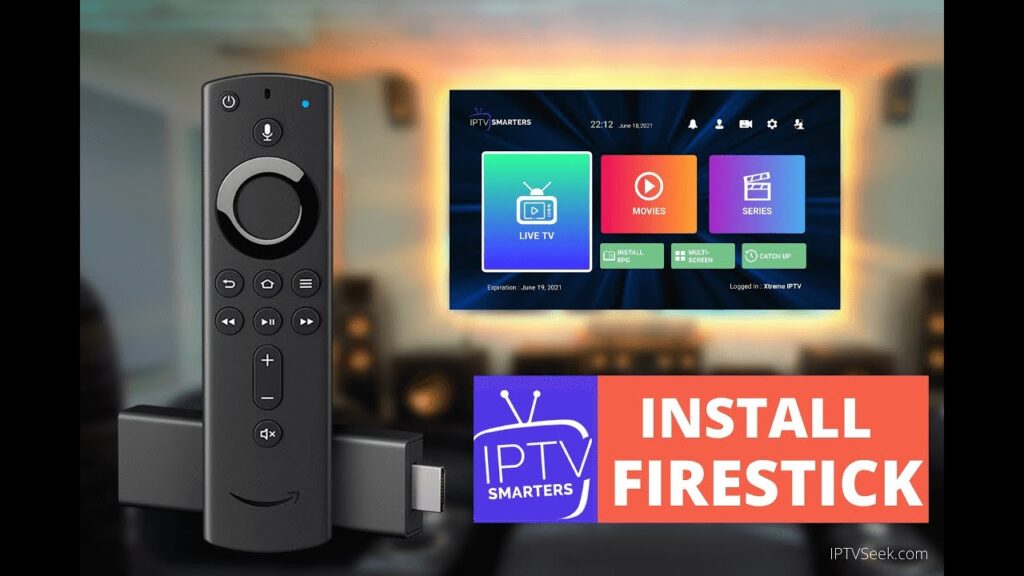
IPTV Smarters Pro: Excellent for Xtream Codes logins with multi-screen capability.
SmartOne IPTV / IBO Player: Highly optimized lightweight options for seamless performance.
Download the APK file, click Install when prompted, and launch the application.
Step 4: Import Your PureStream4K Subscription
Launch your installed IPTV player.
Select Add Playlist or choose Login with Xtream Codes API (Recommended).
Input your [suspicious link removed] credentials:
Any Name:
PureStream4KUsername: [Your assigned username]
Password: [Your assigned password]
Server URL / Host: [Your assigned portal URL with port]
Click Save / Add User and allow 10–20 seconds for your live channels, EPG, and VOD categories to sync.
🚀 Troubleshooting: How to Fix IPTV Buffering on Firestick
If you experience playback freezes or loop buffering during live broadcasts, apply these instant fixes:
Switch to an Ethernet Connection: Wi-Fi interference is the #1 cause of frame drops. Use an official Amazon Ethernet Adapter for a direct cable connection.
Clear App Cache: Go to Settings > Applications > Manage Installed Applications, select your IPTV app, and click Clear Cache.
Change DNS Settings: Update your network settings to use Google DNS (
8.8.8.8/8.8.4.4) or Cloudflare DNS (1.1.1.1).Bypass ISP Throttling: Many Internet Service Providers actively limit bandwidth when detecting high-volume streaming traffic. Utilizing a quality VPN encrypts your traffic and restores full network speeds.
❓ Frequently Asked Questions (FAQs)
Q: What is the best IPTV app for Firestick in 2026?
A: TiviMate and IPTV Smarters Pro remain the absolute top picks due to their fast channel-switching capabilities and reliable EPG synchronization.
Q: Can I watch live sports in 4K on Firestick?
A: Yes! As long as you are using a Firestick 4K device, a fast internet connection, and a provider like PureStream4K that broadcasts sports feeds in high bitrate 60fps.
Q: Why do I need Xtream Codes instead of M3U links?
A: Xtream Codes API parses channel data much faster than long M3U links, resulting in faster app boot times, better organized categories, and automatic daily TV guide updates.